How to withdraw EUR via SEPA
Modified on Tue, 23 Jun at 2:35 PM
Send funds from your Wirex One EUR account to any bank account in the SEPA zone.
Transfers arrive instantly — though in some cases may take up to 1–3 business days.
How to send
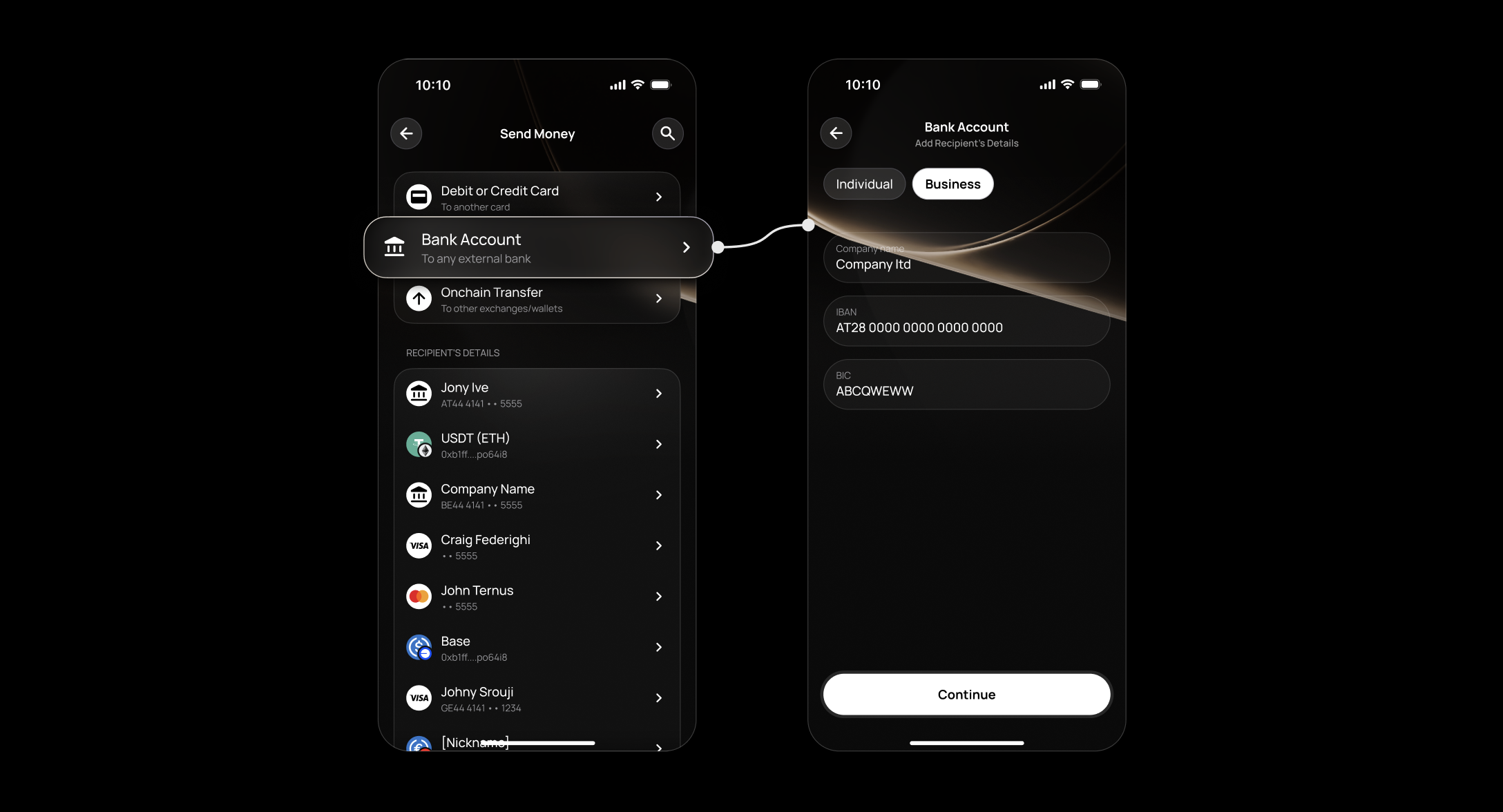
Tap Send on the Dashboard or Account screen.
Select Bank Account.
Select an existing recipient or tap Add New to enter recipient details:
- First name and last name (or company name)
- IBAN
- BIC/SWIFT
Tap Continue.
Enter the amount. Your EUR account is selected by default — you can switch to another account if needed (currency conversion will apply).
Review the transfer details including any fees.
Tap Confirm to send.
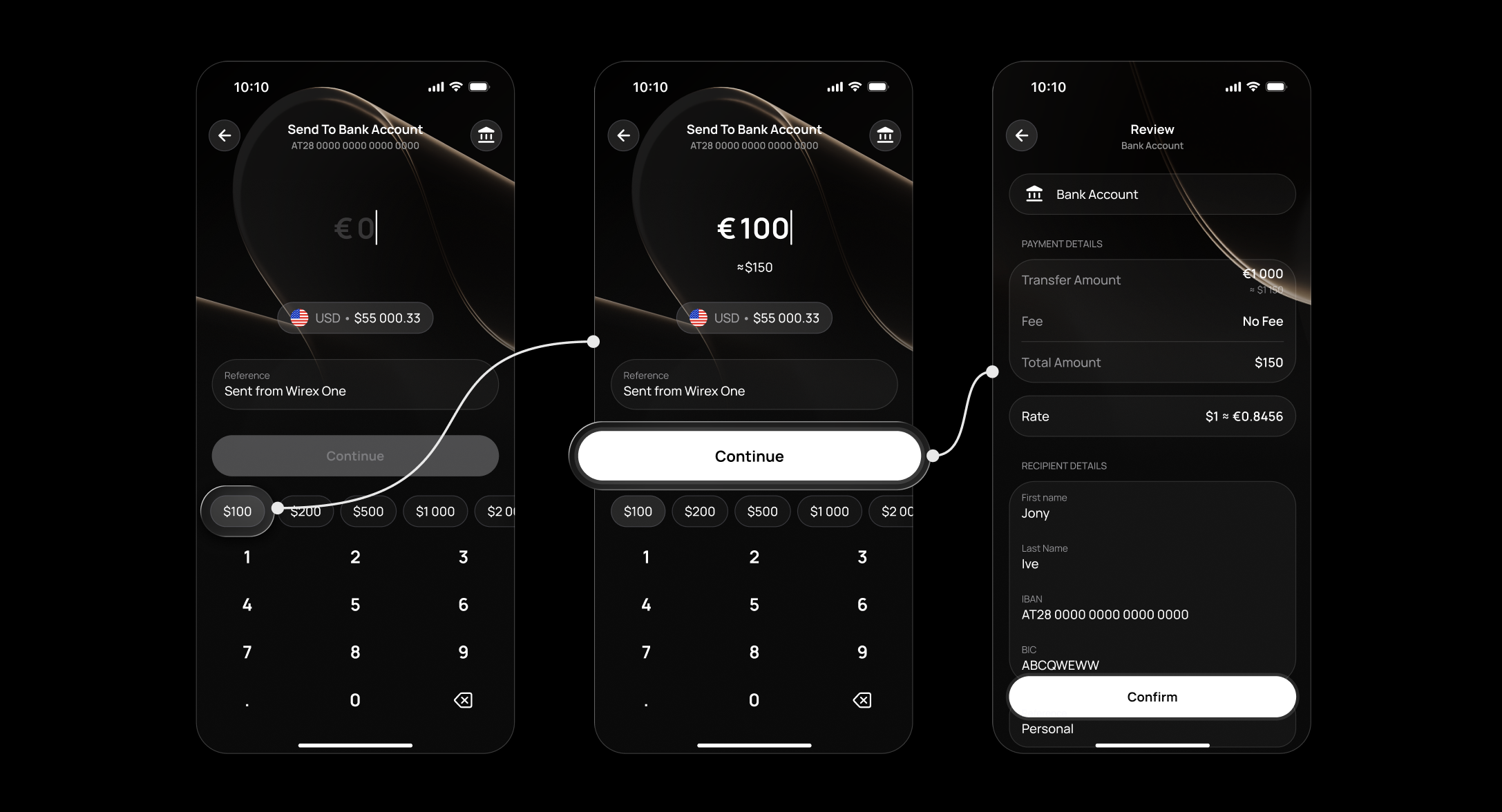
The transfer appears in your Activity immediately with a pending status, updating once processed.
Transfer times
- SEPA Instant — usually arrives within seconds, though may take a few minutes in some cases.
- SEPA — typically 1–3 business days, depending on your bank.
Important: For complete visibility into every transfer, tap the transaction in your Activity and select Show More to view the full status timeline.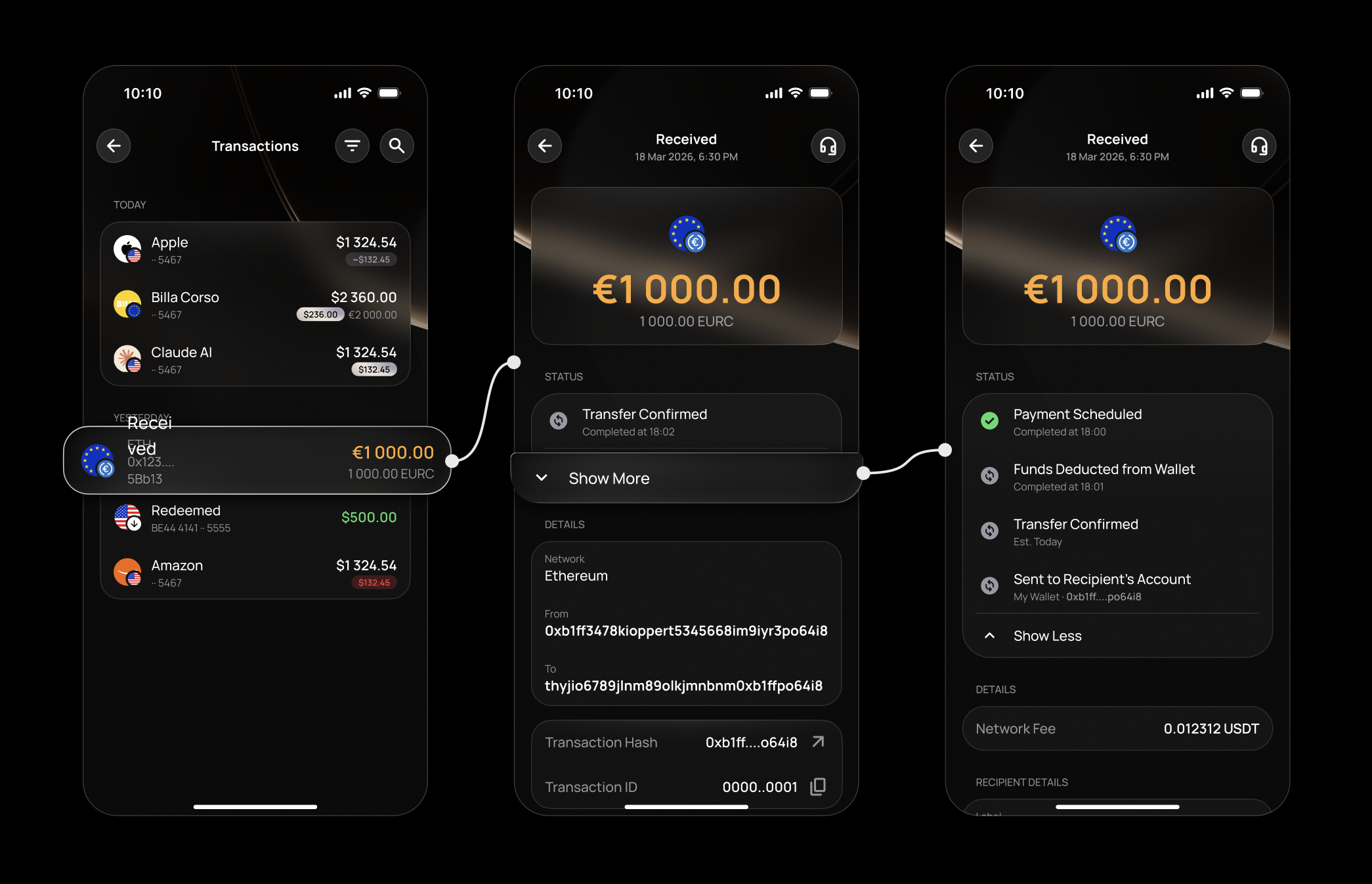
From the moment a transfer is initiated, it appears in your Activity with an amber status — updating automatically at every stage, from Payment Scheduled through to Sent to Recipient's Account.
Should a transfer be delayed, failed, or rejected at any point, the timeline reflects this instantly — showing exactly where and why, so you're always in control.
FAQ
Who can I send to?
Can I send in a currency other than EUR?
Is there a fee?
Can I send to a business account?
Can I edit a recipient's details after saving them?
Why does my transfer show an amber status?
How do I check the detailed status of my transfer?
What stages does a transfer go through?
What does it mean if my transfer failed?
What does it mean if my transfer was rejected?
Will I be notified when my transfer is complete?
My transfer hasn't arrived — what do I do?
Why was my SEPA transfer rejected?
Still have questions?
Our support team is here to helpWas this article helpful?
That’s Great!
Thank you for your feedback
Sorry! We couldn't be helpful
Thank you for your feedback
Feedback sent
We appreciate your effort and will try to fix the article