How to deposit EUR via SEPA
Modified on Tue, 23 Jun at 2:34 PM
Fund your Wirex One EUR account with a SEPA transfer from any bank within the SEPA zone.
Transfers arrive instantly — though in some cases may take up to 1–3 business days.
Activating your SEPA account details
Bank account details (IBAN + BIC) are not active by default — you need to activate them once before your first deposit.
- In the app, tap Add → Bank Account.
- Swipe to your EUR account.
- Tap Activate.
- Your IBAN and BIC are created and displayed after activation.
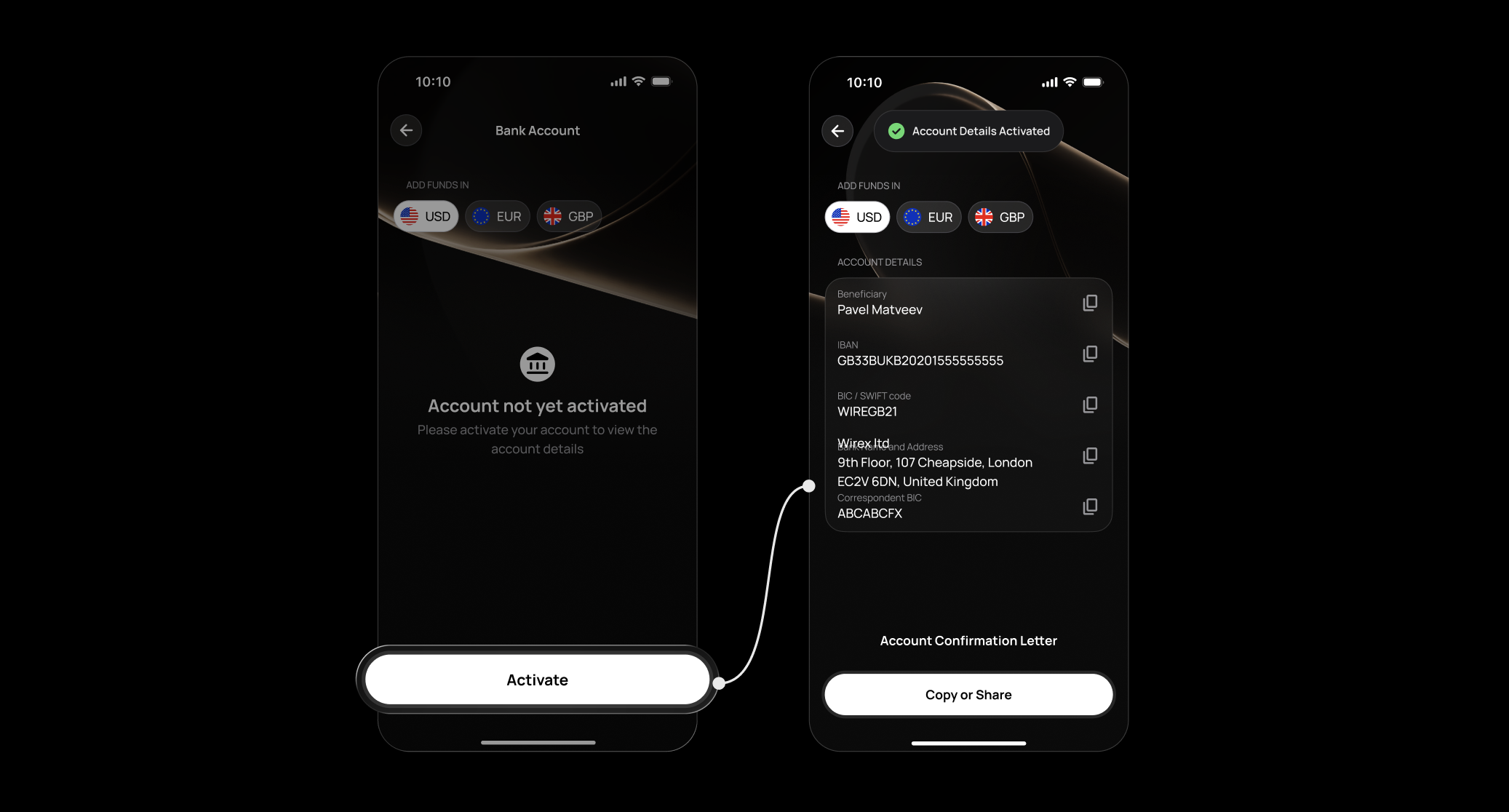
Activation happens once. On all future visits, your details are shown straight away.
Activation requires a verified account. Complete your verification in the app first — the Activate button will appear once you're verified.Your SEPA account details
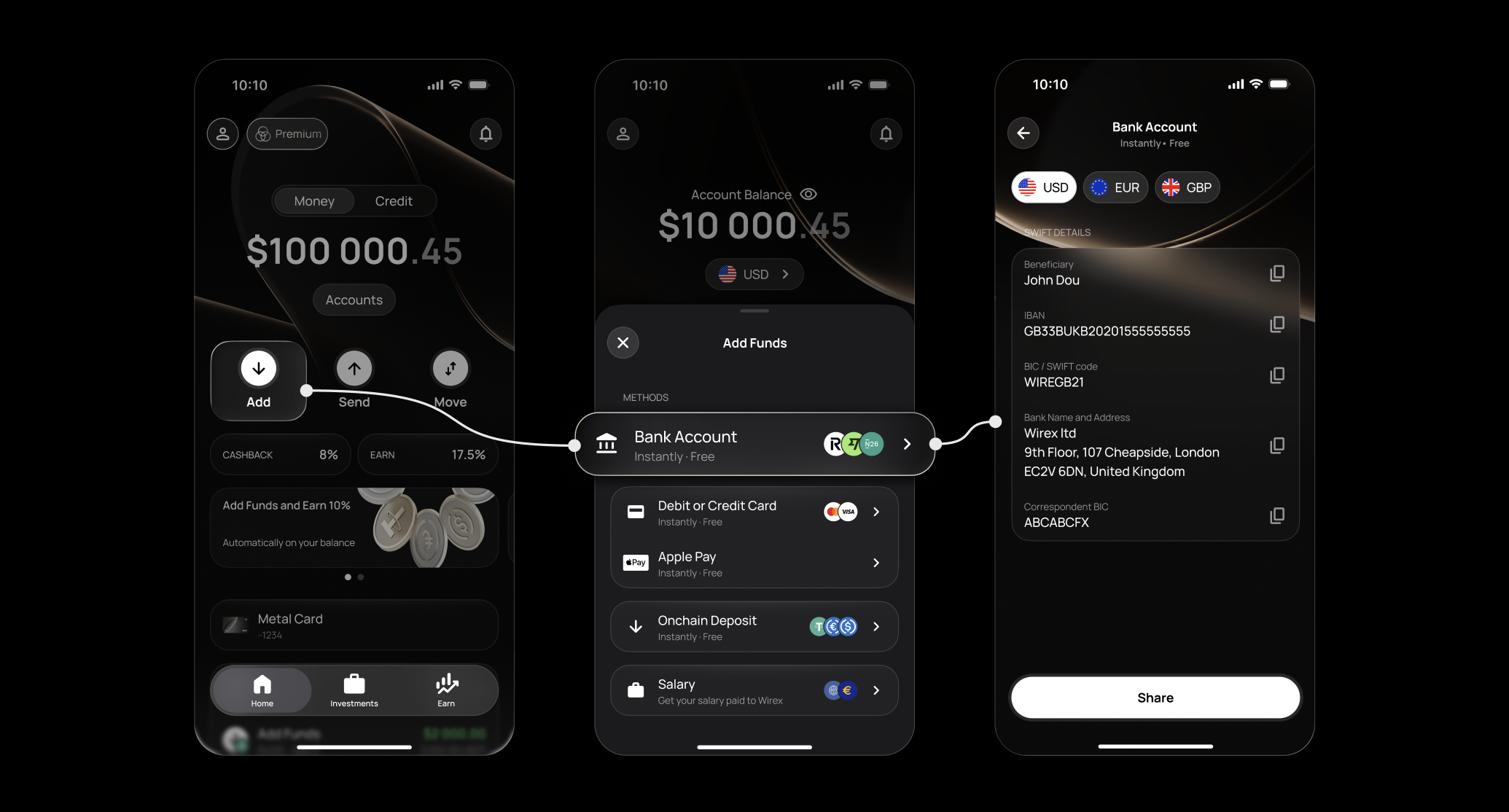
- In the app, tap Add → Bank Account.
- Swipe to your EUR account.
- You'll see your IBAN, BIC/SWIFT, account holder name, and bank details.
- Tap Copy on any field, or use Share Account Details to send them to yourself.
Sending the transfer
Log in to your bank, select a SEPA or EUR transfer, enter your Wirex One details exactly as shown, and confirm. Once received, your balance updates automatically.
Transfer times
- SEPA Instant — usually arrives within seconds, though may take a few minutes in some cases.
- SEPA Credit Transfer — typically 1–3 business days, depending on your bank.
Important: As soon as a deposit is triggered, it appears in your Activity with an amount and an amber status — so you always know something is on its way. Tap the transaction, then tap More to expand the full status timeline and see exactly where your funds are in the process.Once the deposit is complete, the amount updates automatically and the status moves to final. If a payment is rejected at any stage, the timeline shows precisely where and why it was declined — so there's never any guesswork.
FAQ
Do I need to activate my account details before my first deposit?
Is there a fee?
What limits apply?
Can I receive a payment from a third party?
Can I send from a non-EU bank?
What currency should I send?
My transfer hasn't arrived after 3 business days — what now?
What does the amber status mean?
How do I check the detailed status of my deposit?
What should I do if my payment was rejected?
What are the most common reasons for a delay?
Still have questions?
Our support team is here to helpWas this article helpful?
That’s Great!
Thank you for your feedback
Sorry! We couldn't be helpful
Thank you for your feedback
Feedback sent
We appreciate your effort and will try to fix the article