Upgrade to Wirex One — what to expect
Modified on Wed, 30 Sep at 6:46 PM
Wirex One is the next chapter for Wirex users. When you get started, your Wirex account comes with you — your verification, your balances, your X-accounts — so you're not starting from scratch.
This article walks you through what setting up looks like, what to do beforehand, and what you'll find waiting for you on the other side.
Before you get started
A couple of things to check before you begin:
Delisted token balances
Wirex One supports around 70 assets. If you hold any tokens that were previously delisted from the Wirex platform, they won't be available in Wirex One. Check your Wirex app and withdraw any delisted balances before getting started.
If the Wirex app no longer supports transactions in your country, please contact our support team and we'll help you withdraw them.
Active Multiply deals
Any active Multiply deals will be closed as part of the set-up process. If you have open positions, make sure you're comfortable with this before you proceed.
Your crypto deposit addresses will change
Once you're set up on Wirex One, your crypto deposit addresses are updated.
Your new addresses are available in the app straight away — but old Wirex app deposit addresses are no longer valid. Funds sent to an old address after set-up may be lost. If you have any saved addresses or recurring deposits, update them as soon as you're set up.
What's ready for you in Wirex One
When you connect your Wirex account to Wirex One, here's what's ready for you from day one:
- Verification — your identity is already confirmed, so there's nothing to re-submit.
- Balances — your currency balances arrive in your Wirex One wallet, ready to use.
- Cards — your existing Wirex cards come along, with the same card number, expiry, and CVV.
- IBAN and bank details — your EUR account (IBAN/BIC) is unchanged; incoming and outgoing transfers continue normally.
- Earn accounts — your Wirex X-accounts carry over as Earn accounts, with your settings intact. Note: stablecoin and fiat X-accounts may be displayed under a unified currency (e.g. EURC, EURS, VEUR all appear under EUR).
- WXT holdings — WXT held for your Wirex reward tier qualification is placed into a fixed-term Earn account for 3 months. Paid plan users (Standard Enhanced and above) keep their tier as a Legacy tier for 3 months — Earn rates, cashback, and perks stay in force. Standard Entry users move to the new Wirex One rewards programme straight away. More details at Rewards.
- Active loans — all active loans carry over as-is, with original terms intact.
- Linked external cards — external cards you had linked for top-ups will need to be re-linked in Wirex One. Your Wirex cards carry over automatically — only externally added cards need to be set up again.
What about your transaction history?
Transaction history from the Wirex app is not available in Wirex One. Your Wirex app stays accessible after set-up — you can log in at any time to review past activity, download statements, or check previous transactions. Nothing is deleted.
What happens to your Wirex app
Your Wirex App will remain available after you upgrade to Wirex One. You can continue to view your transaction history, account details, and other historical information in the Wirex App. However, you will no longer be able to make transactions or manage your account there. All new activity will take place in Wirex One.
In some countries, the Wirex app no longer supports transactions. If that's the case for you, you can still log in to view your past activity and download statements. Your assets remain safely held on-chain and will appear in your Wirex One wallet as soon as you upgrade. Follow instructions below to get started.
How it works
The whole process is designed to feel like one smooth setup, not a technical operation. Here's the shape of it:
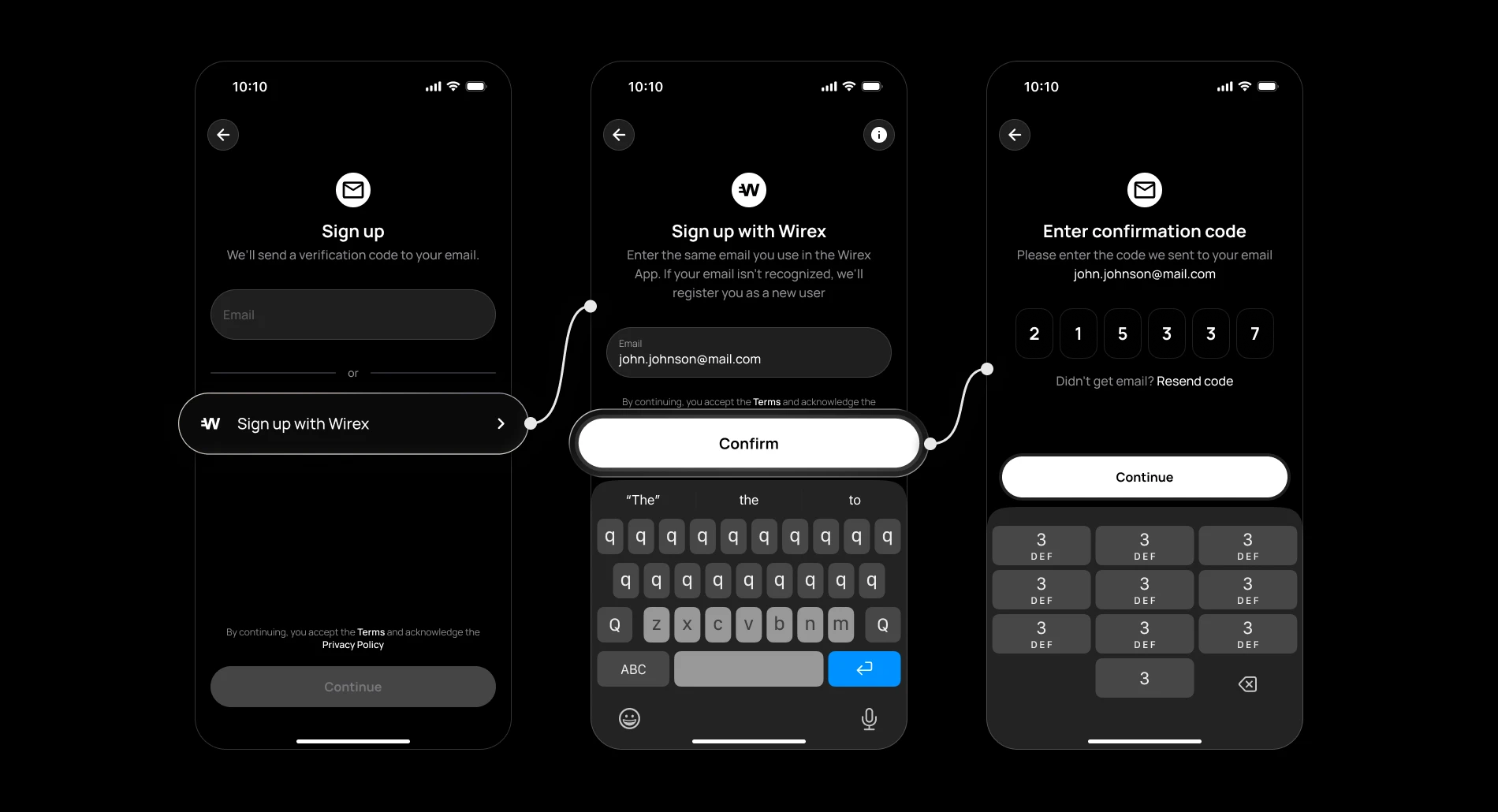
Step 1 — We find your account
When you sign up for Wirex One with the same email you use for Wirex, we recognise you automatically. At the end of onboarding, we'll let you know your Wirex account is ready to come along.
Step 2 — A quick login to confirm it's you
We'll open a Wirex login screen inside the app. Logging in here tells us you're the account owner — it's a one-time step and takes about 30 seconds.
Step 3 — We take it from here
Once you've confirmed your Wirex account, we'll prepare your Wirex One experience and make everything available in your account.
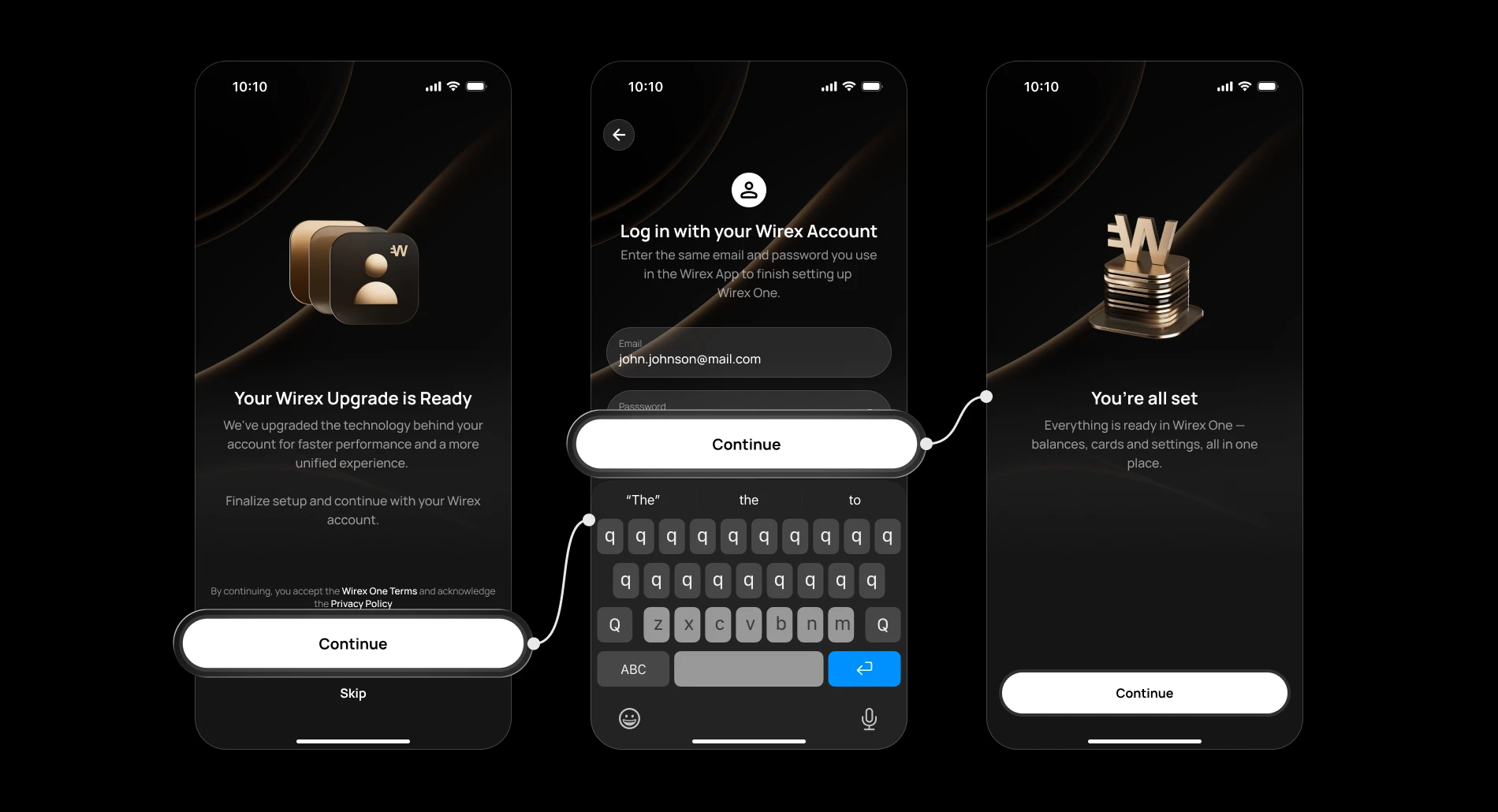
Step 4 — You're home
Your Wirex One account will have everything in place — balances, cards, verification, and your Earn accounts all set up and ready. You'll see a confirmation screen right in the app, and from here it's all yours.
Please note that some balances may take a little longer to appear, depending on the asset and the underlying network. Transfer times may vary due to blockchain processing and network confirmation requirements.You decide when
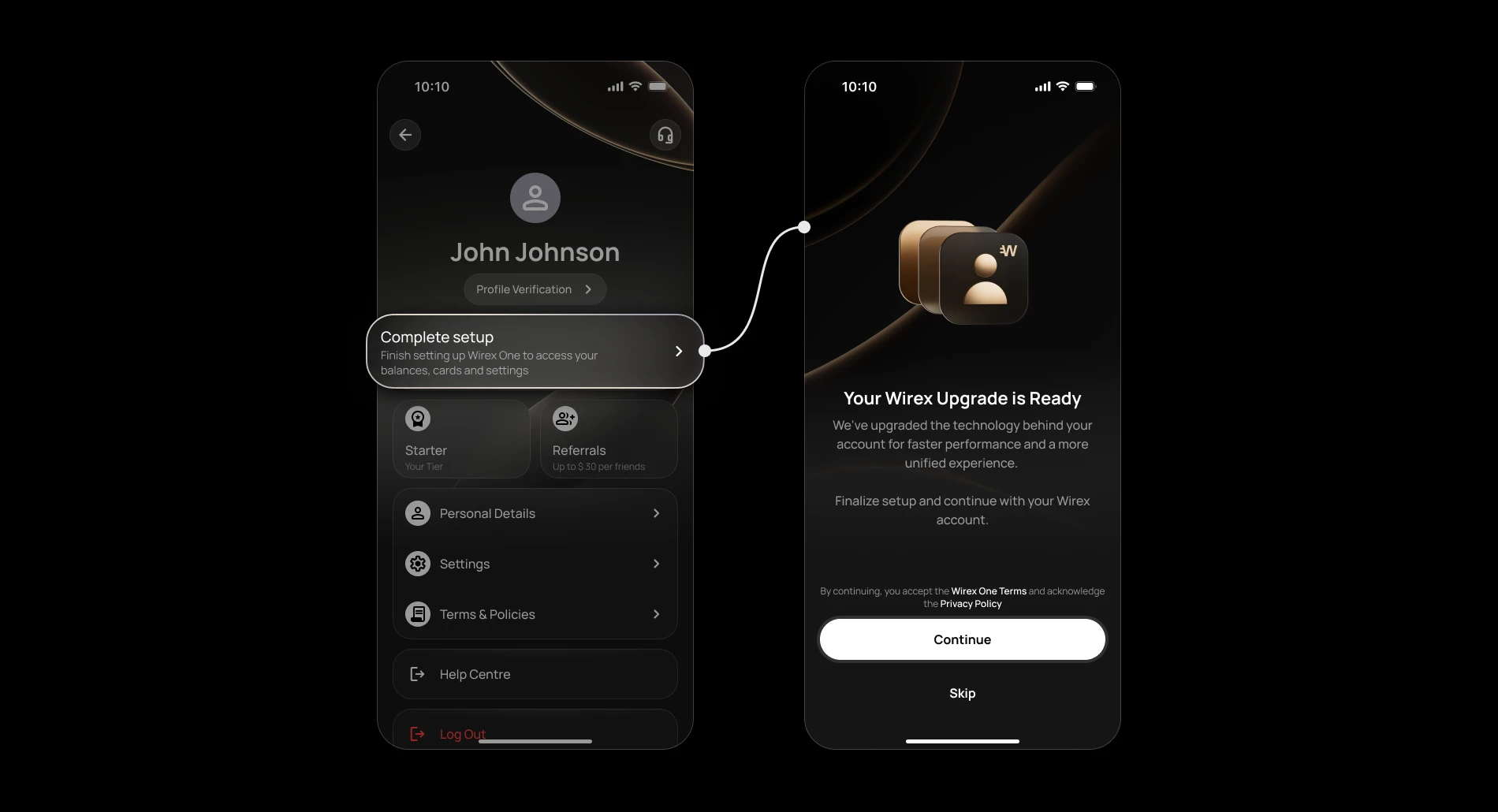
Nothing happens until you're ready. You can get Wirex One set up straight away, or come back to it later from your Profile tab.
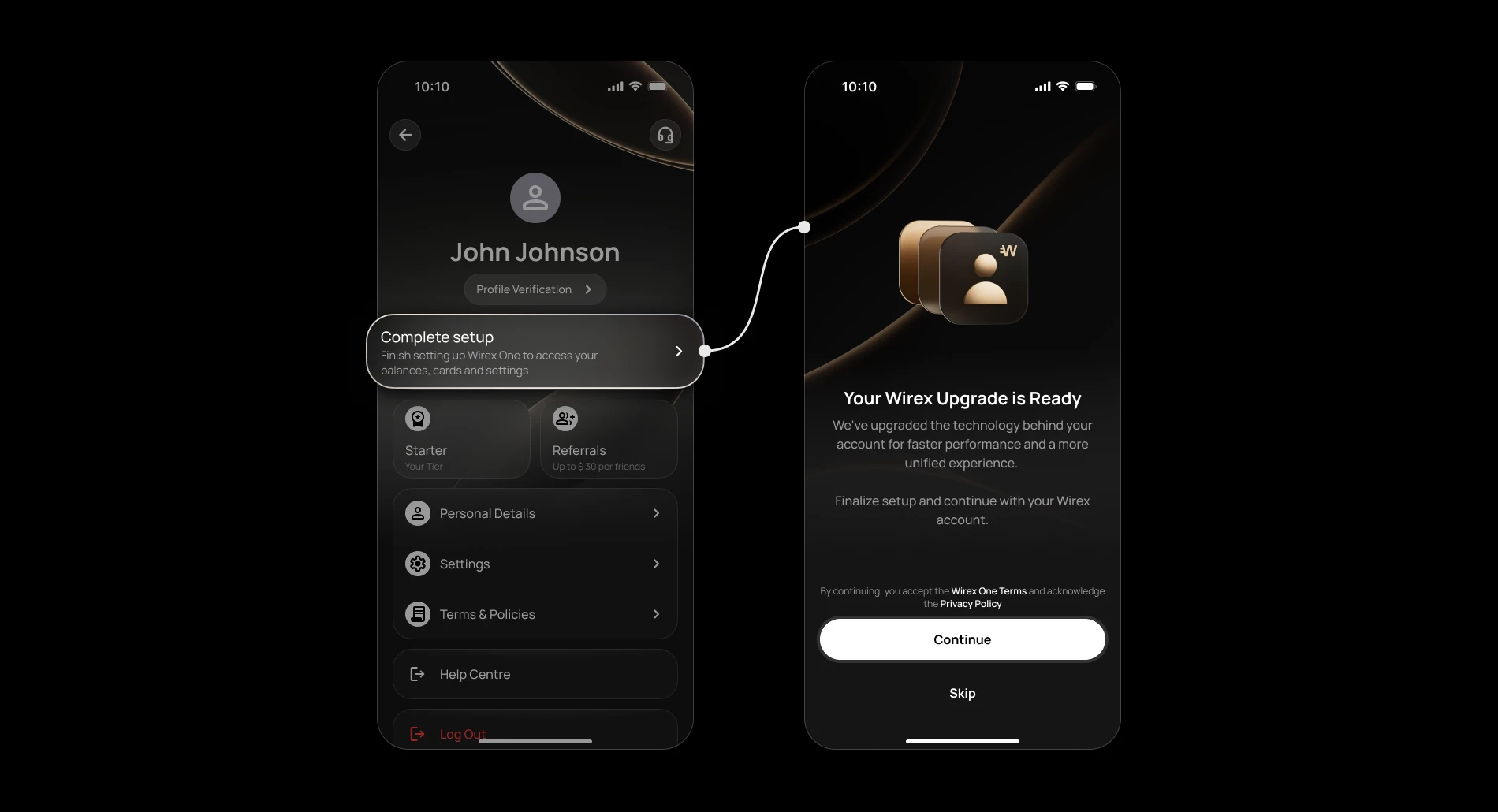
Your balances will appear in your Wirex One wallet once you complete setup.
How long does it take?
For most accounts, setup completes in under a minute. Once it's done, just open your dashboard — your balances, cards, and Earn accounts will all be there, ready to go.
If something takes longer than expected, you'll see a status banner on your dashboard letting you know things are still in progress.
If anything looks off, our support team is always happy to help.
What's new in Wirex One
Wirex One is built on a new foundation, so a few things work differently — in ways we think you'll like.
A fresh look and feel
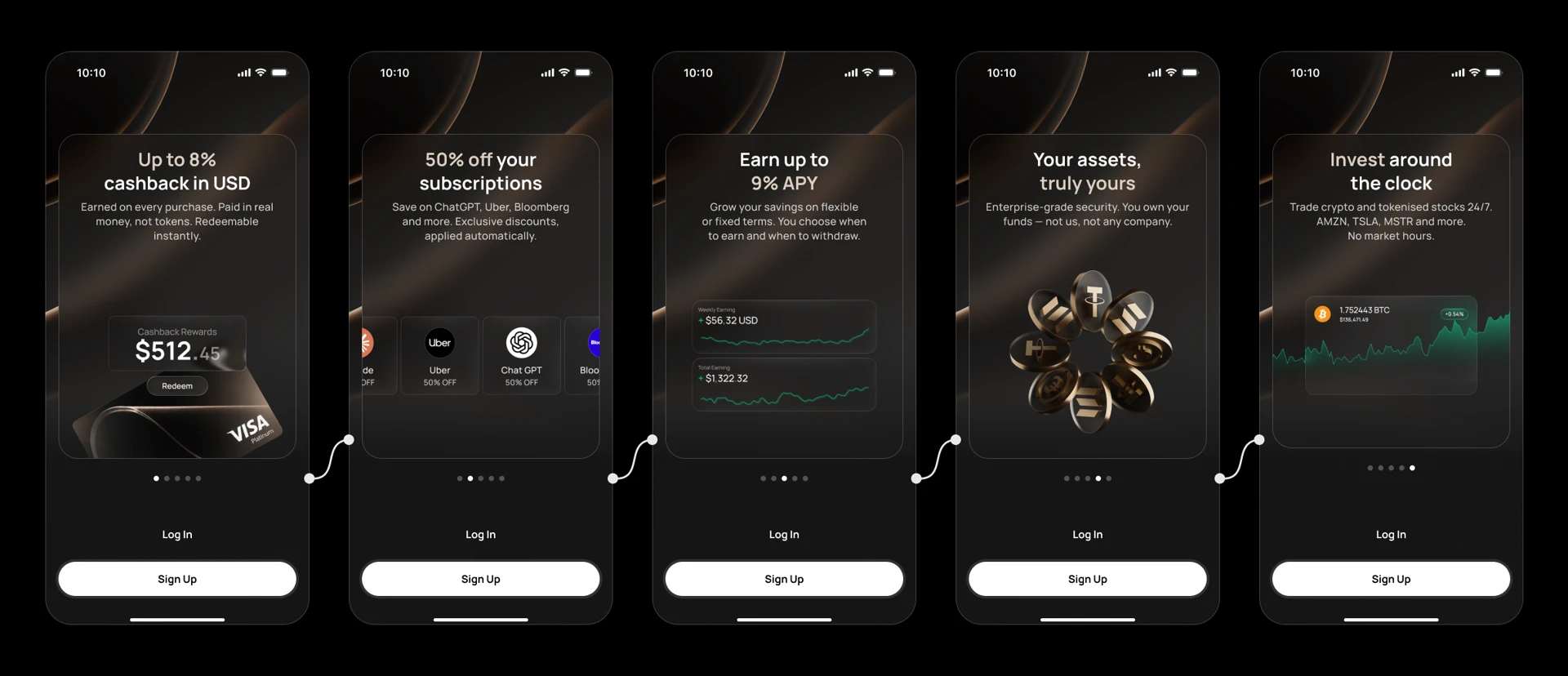
Wirex One has been redesigned from the ground up. The interface is cleaner, navigation is more intuitive, and everything is easier to find — whether you're checking your balance, managing your Earn accounts, or sending money.
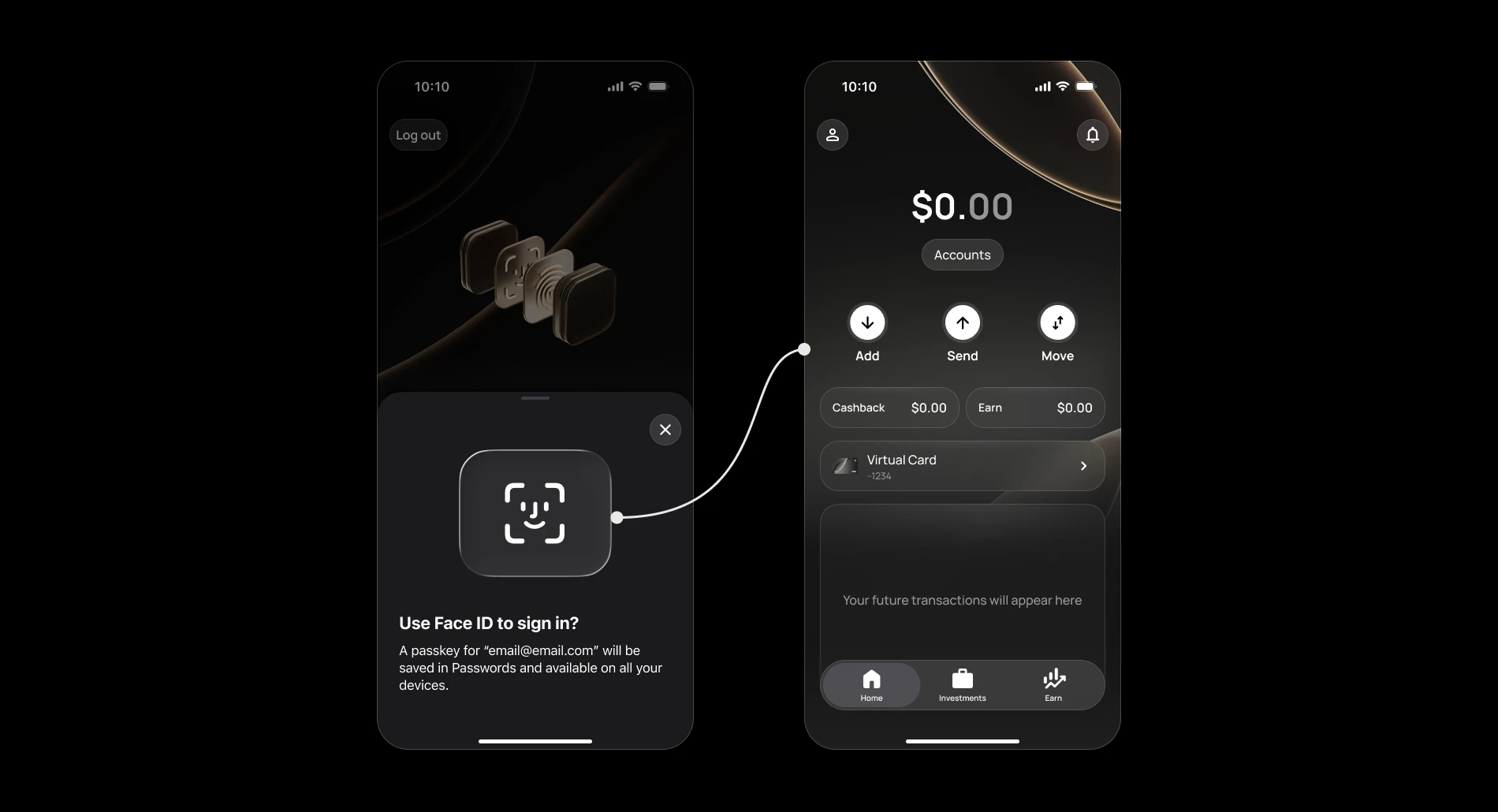
Passkey instead of a password
Logging in to Wirex One uses a passkey. It's faster, more secure, and works with your device's built-in authentication app, like Face ID or fingerprint.
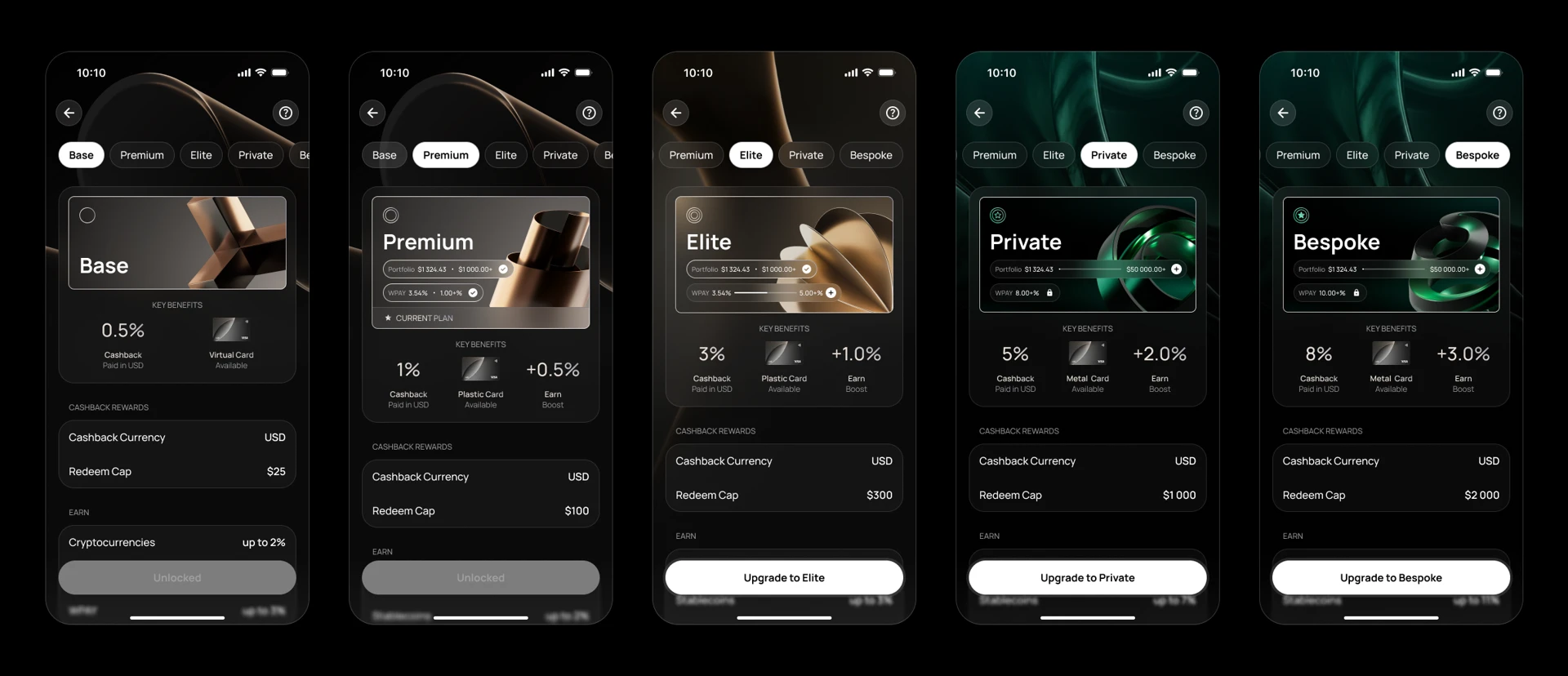
Wirex One Membership
Wirex One introduces a new membership programme with rewards, cashback, and additional benefits. Your membership level determines the rewards and perks available to you, with higher levels unlocking enhanced benefits and earning opportunities.
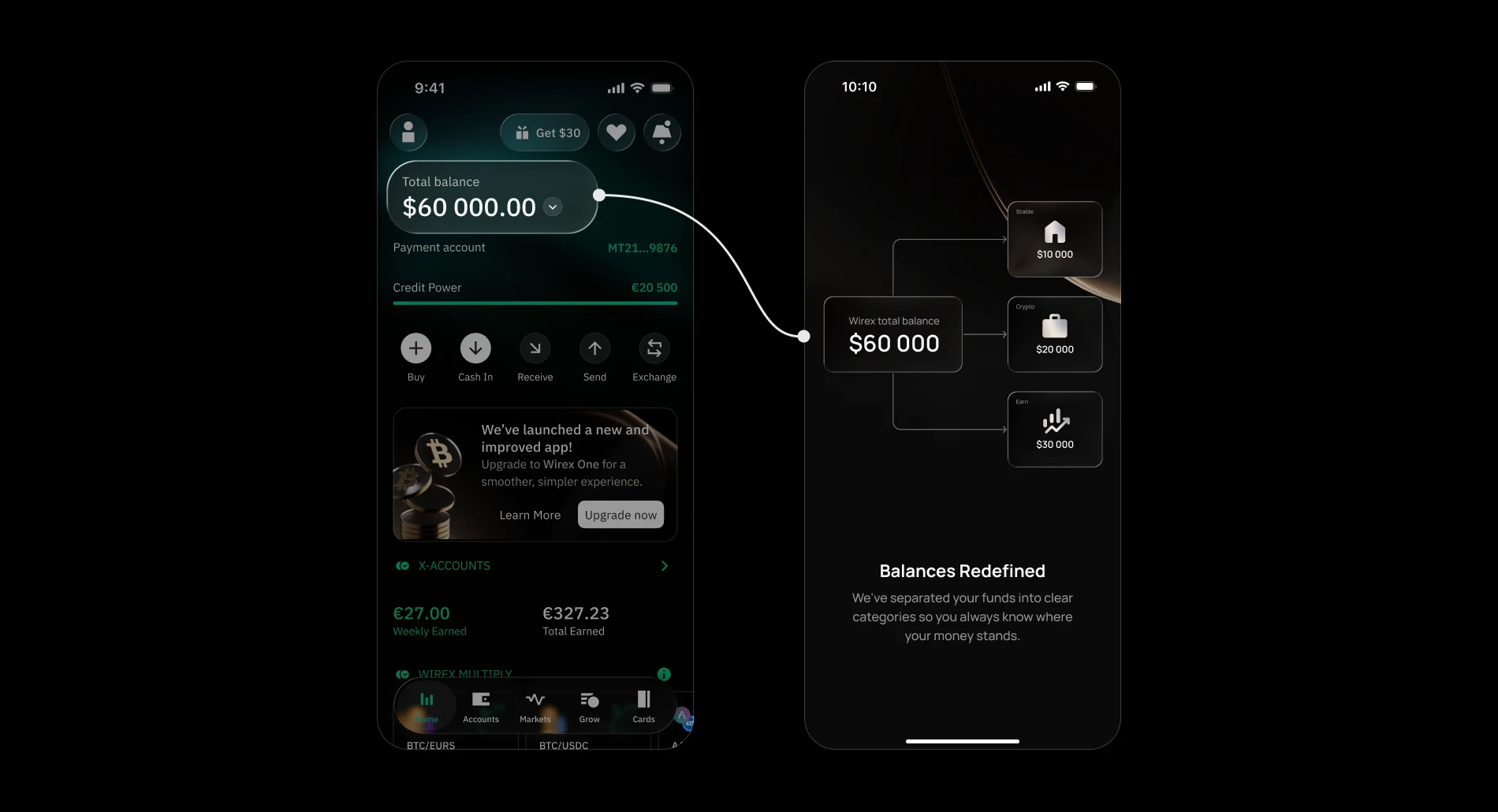
Separate balances for spending and earning
Unlike Wirex, where balances and X-Accounts were managed together, Wirex One displays spending, investment, and Earn balances separately. This provides a clearer view of your available funds, investment holdings, and assets allocated to Earn.
X-accounts become Earn
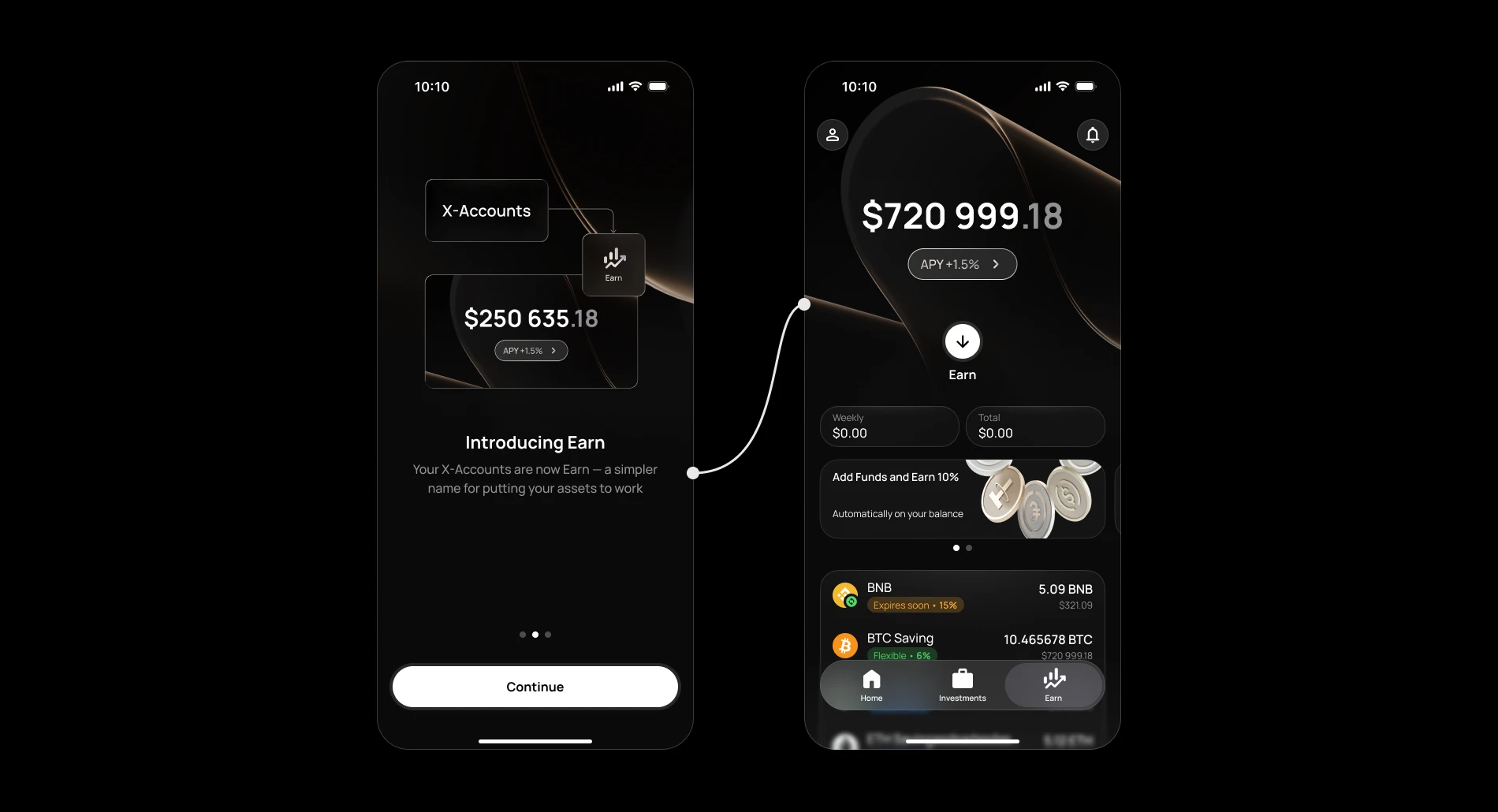
Your Wirex X-accounts are here too — in Wirex One they're part of your Earn product. Your earning history and any active positions carry over, presented in a cleaner way with more visibility into your returns.
One account, two apps — for now
Until you upgrade to Wirex One, the Wirex App will continue to work as usual, unless it no longer supports transactions in your country. Once you're all set, the Wirex app becomes a read-only view of your past activity, while Wirex One becomes your main account going forward.
Still have questions?
Our support team is here to helpWas this article helpful?
That’s Great!
Thank you for your feedback
Sorry! We couldn't be helpful
Thank you for your feedback
Feedback sent
We appreciate your effort and will try to fix the article