Managing Your App Settings
Modified on Tue, 23 Jun at 2:12 PM
Personalise your Wirex One experience from the Settings section in your Profile.
Available settings
- Reference Currency — choose the currency used to display your total balance on the Home. Change it at any time from Profile → Settings.
- Show Balance — toggle your balance visibility on the Home. Active by default. When turned off, your balance is masked.
- Haptic Feedback — toggle vibration feedback for in-app interactions. Active by default.
- Delete Account — permanently delete your Wirex One account. Before deletion, you'll be prompted to export your private key to ensure you don't lose access to your funds.
How to change your reference currency
- Go to Profile → Settings.
- Tap Reference Currency.
- Select your preferred currency.
- Your balance will update to reflect the new reference currency.
How to delete your account
Important: Deleting your account is permanent and cannot be undone. Export your private key before proceeding — without it, you may permanently lose access to your funds.
1. Go to Profile → Settings.
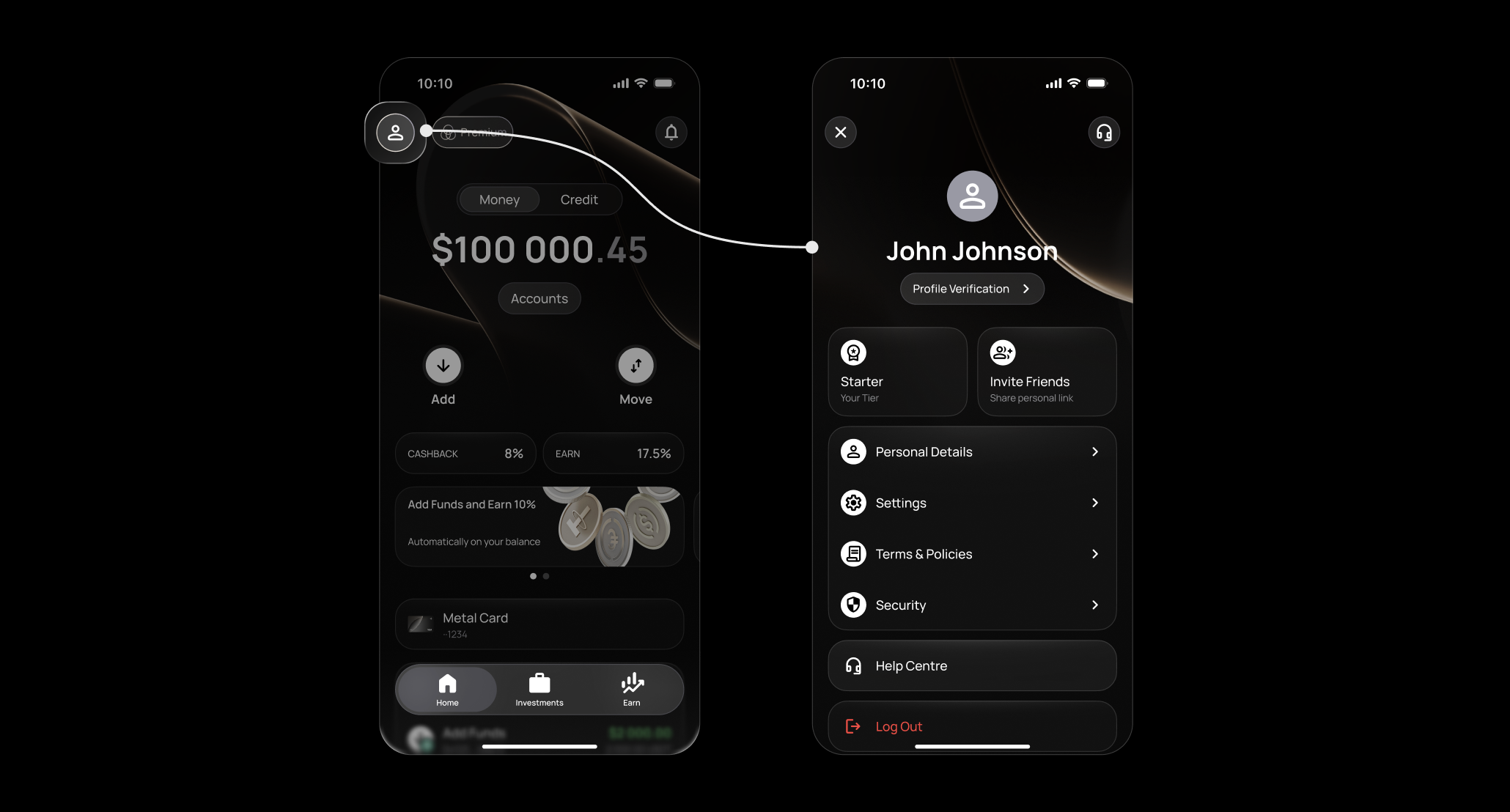
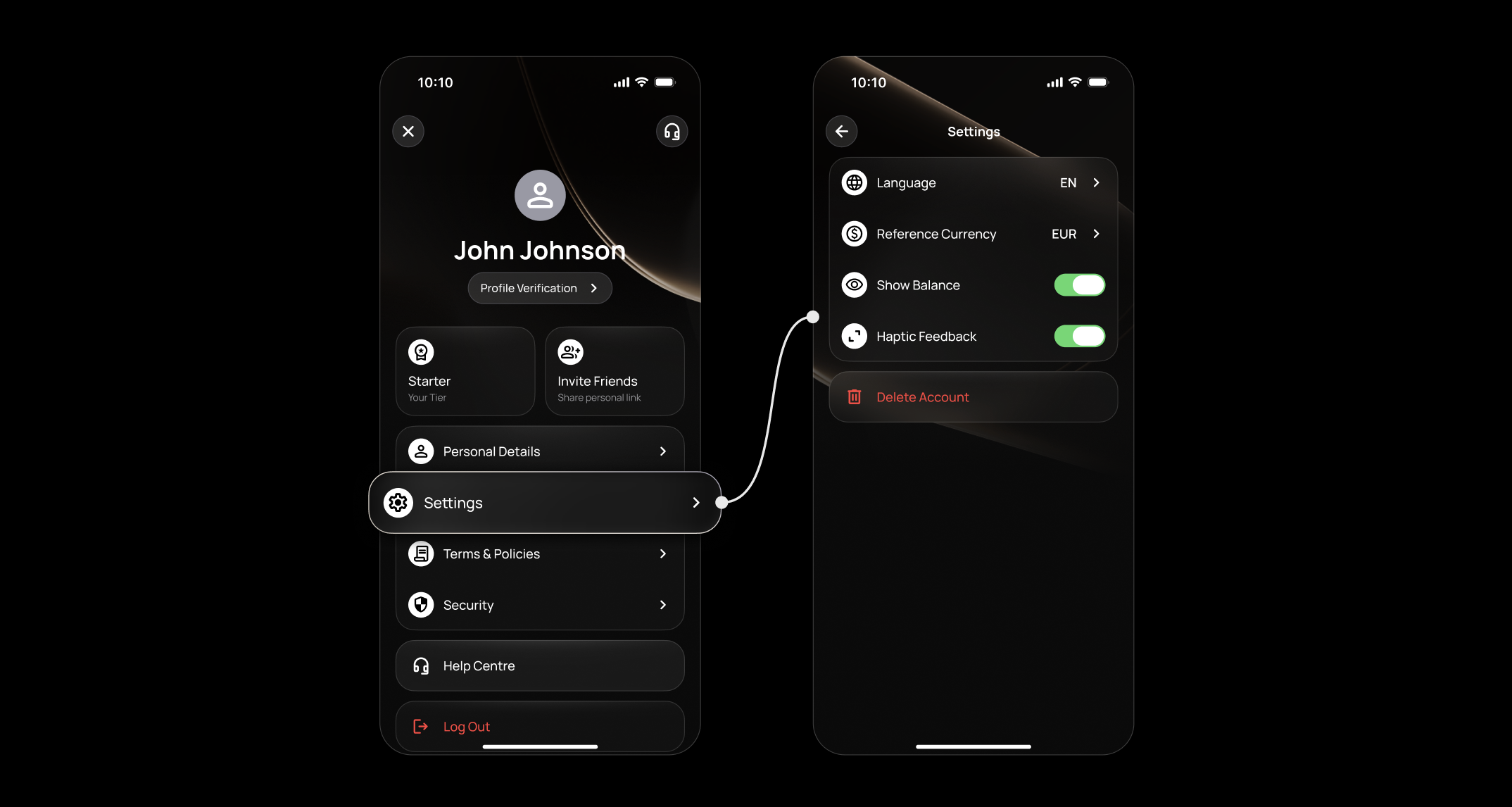
2. Tap Delete Account.
3. On the next screen, tap Export Private Key to save your key securely.
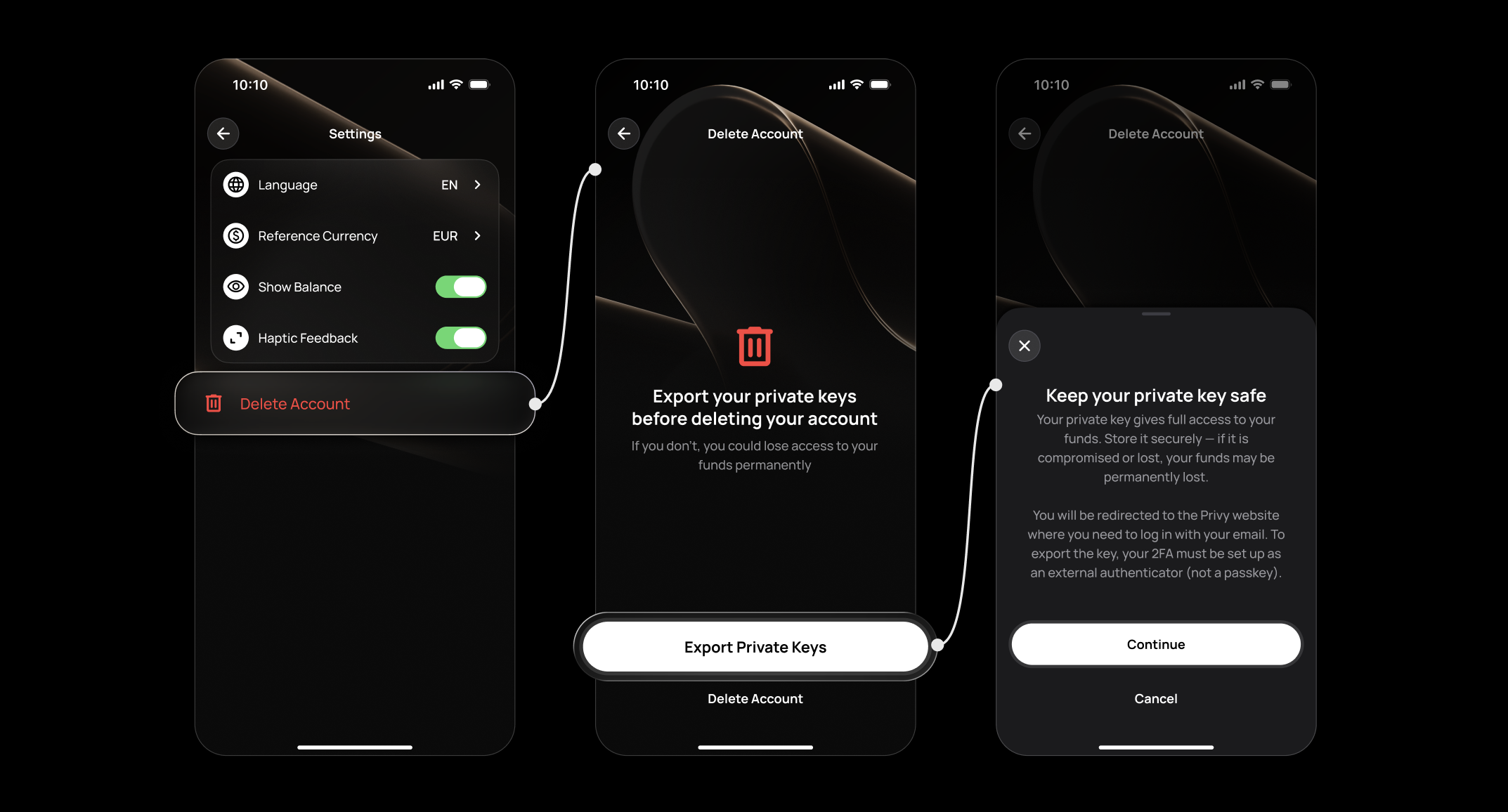
4. Once exported, tap Delete Account.
5. Review the warning and tap Confirm to proceed.
FAQ
What is the reference currency?
The reference currency is used to display the equivalent total value of your balances on the Home and your Crypto Portfolio in Investment. It does not affect how your funds are held or transacted.
Can I change the reference currency at any time?
Yes — go to Profile → Settings → Reference Currency and select a new one. The change takes effect immediately.
What happens when I turn off Show Balance?
Your balance is masked on the Home. All other functionality remains the same. Toggle it back on at any time.
What is a private key and why should I export it?
Your private key gives you direct access to your onchain funds, independent of the Wirex One app. Exporting it before deleting your account ensures you can still access your funds even after deletion. Store it securely and never share it with anyone.
Can I recover my account after deletion?
No — account deletion is permanent. If you're unsure, contact Wirex One support before proceeding.
Related articles
Still have questions?
Our support team is here to helpWas this article helpful?
That’s Great!
Thank you for your feedback
Sorry! We couldn't be helpful
Thank you for your feedback
Feedback sent
We appreciate your effort and will try to fix the article