How to withdraw crypto
Modified on Tue, 23 Jun at 2:21 PM
Send any supported cryptocurrency from your Wirex One wallet to an external wallet or exchange — directly from the Investment tab.
How to send crypto
Adding a new recipient
Tap Send from your Portfolio or a specific asset.
Tap Add New to enter recipient details: Label (a nickname for this wallet), Wallet address, Network, and Memo (shown only if required by the selected network).
Tap Continue — the address is validated automatically.
Enter the amount. The account is fixed based on the asset selected — it cannot be changed on this screen.
Review the full breakdown on the Review screen, including network fees.
Tap Confirm and complete Passkey verification.
The transaction appears in your Activity immediately.
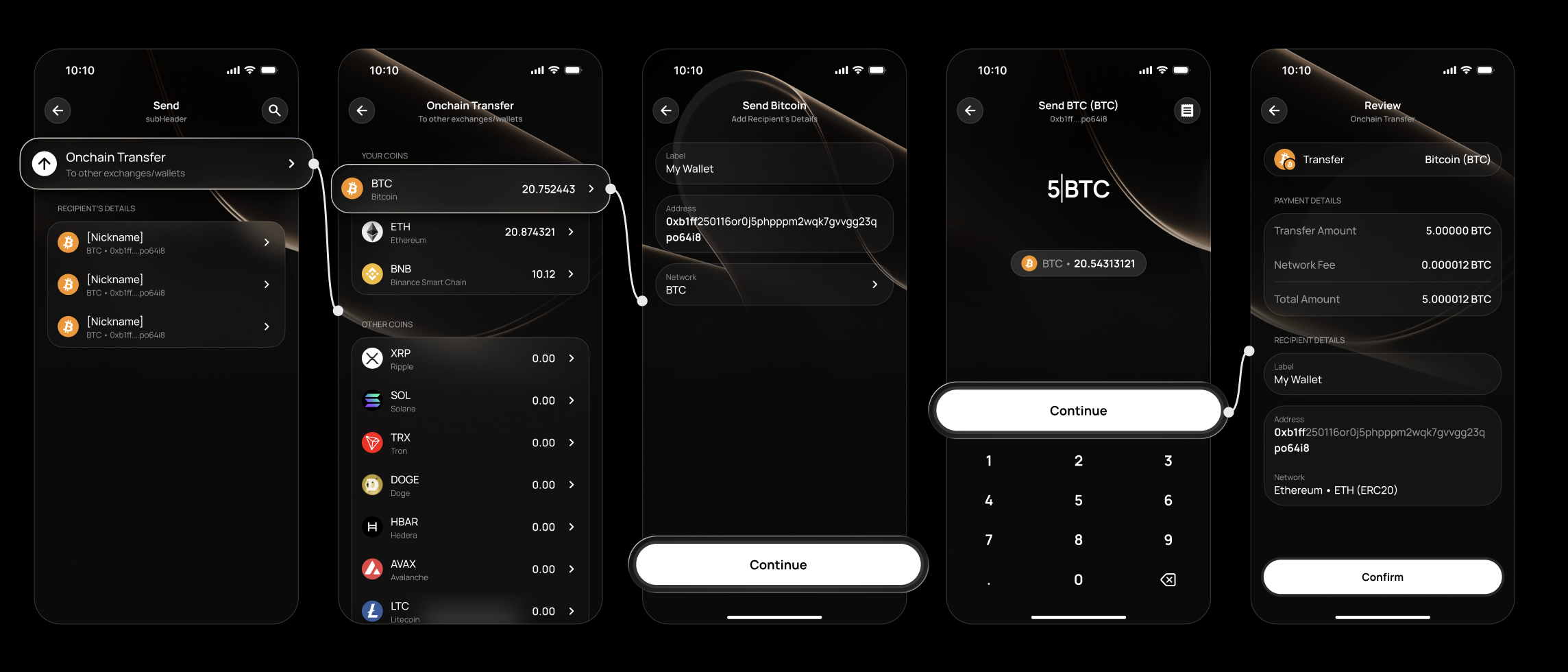
Sending to a saved recipient
Tap Send from your Portfolio or a specific asset.
Select a recipient from your list — sorted by most recently used. Search by first name, last name, or nickname.
Review their details, enter the amount, and confirm.
Note: Recipients with stablecoins (USDC, USDT, EURC) are not shown in the crypto Send flow — stablecoin transfers are handled via the Home tab.Managing recipients
- Recipients are saved automatically after the first successful transfer.
- Search by first name, last name, or nickname.
- To delete a recipient, swipe left and confirm.
Tracking your transfer
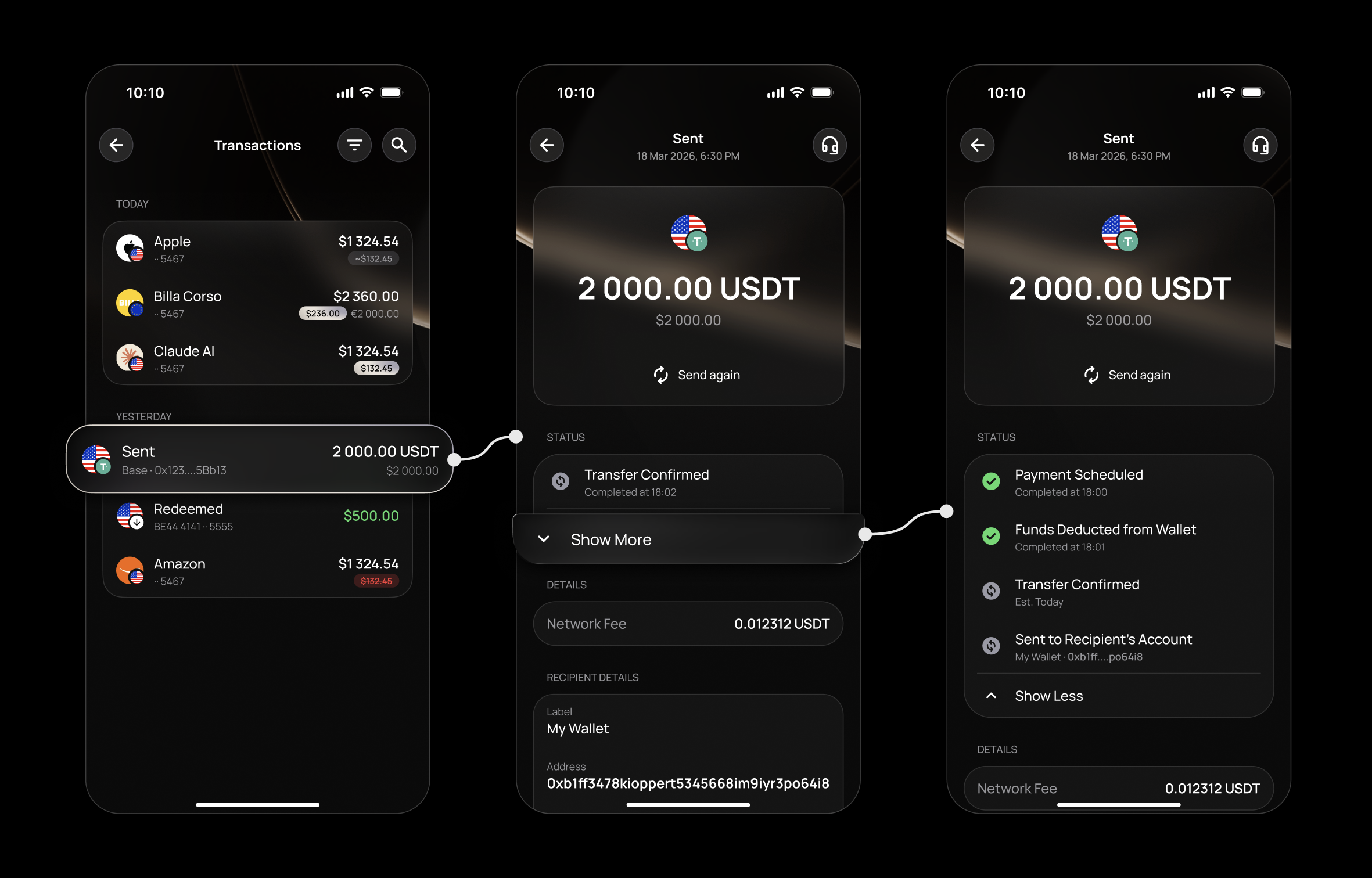
For complete visibility, tap the transaction in your Activity and select More to view the full status timeline — updating automatically at every stage, so you're always in control.
FAQ
Do I need to verify my account to send crypto?
Can I change the account I'm sending from?
What is a Memo?
Can I send stablecoins from the Investment tab?
Can I edit a saved recipient's details?
Can I cancel a crypto transfer once confirmed?
My transfer hasn't arrived — what do I do?
Related articles
Still have questions?
Our support team is here to helpWas this article helpful?
That’s Great!
Thank you for your feedback
Sorry! We couldn't be helpful
Thank you for your feedback
Feedback sent
We appreciate your effort and will try to fix the article